How AI Is Changing the Way Gen Z Works and Studies
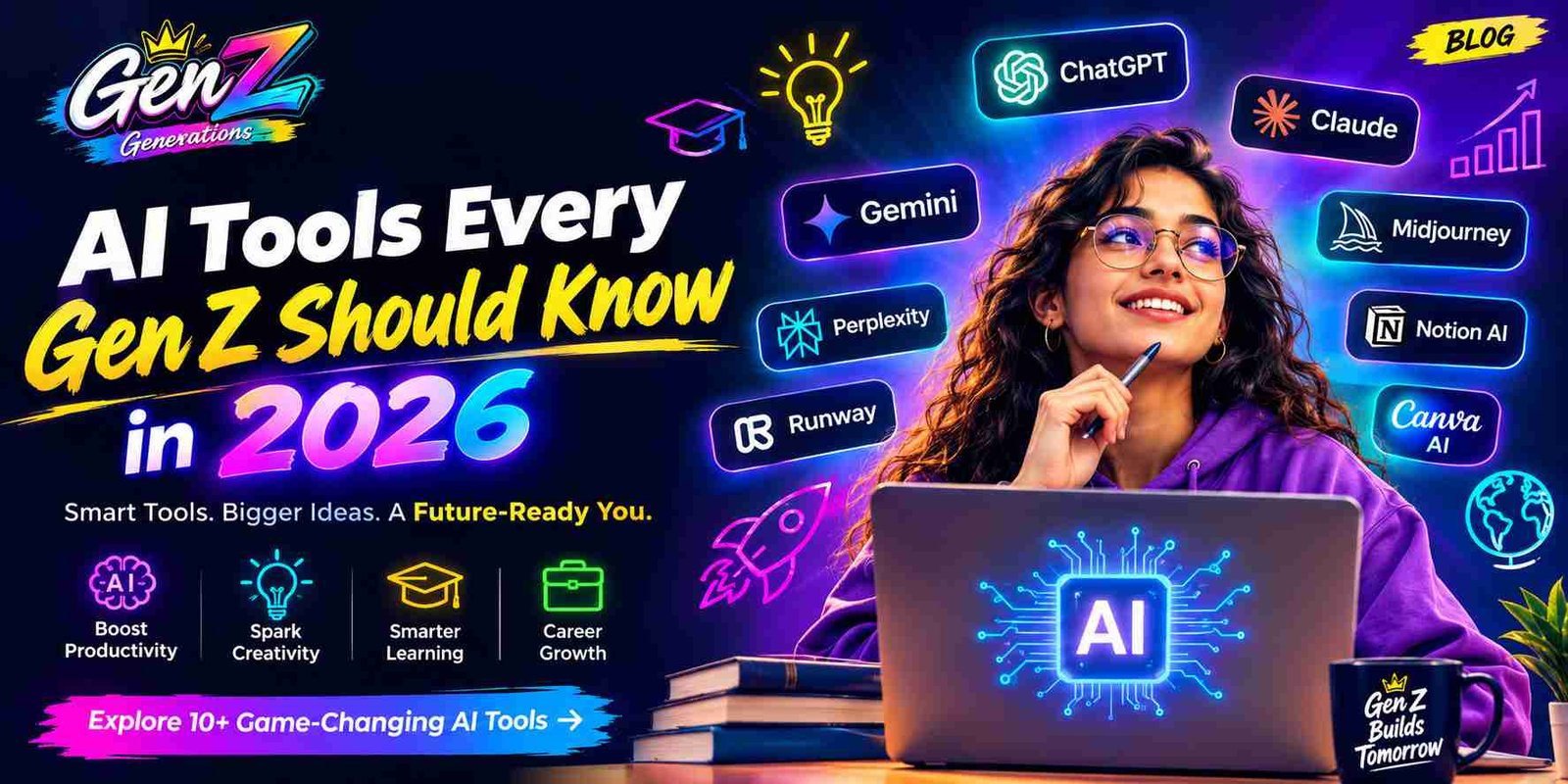
AI tools have fundamentally shifted from experimental novelties into a major part of the digital infrastructure Gen Z uses in 2026. Whether navigating university lecture halls, launching freelance agencies, or entering corporate environments, young adults are increasingly using AI to improve how they work, study, research, and create.
Instead of spending dozens of hours organizing research notes, drafting repetitive code, or manually creating presentations, Gen Z can use specialized AI systems as interactive co-pilots. This shift moves the focus away from repetitive tasks toward strategy, critical evaluation, creativity, and rapid problem-solving.
Why AI Skills Are Becoming a Career Advantage
In today’s job market, raw operational speed is no longer the only measure of productivity. Adaptability, digital leverage, problem-solving ability, and technological fluency are becoming increasingly valuable.
Early-career professionals who understand advanced prompting, multimodal AI tools, automation, and AI-assisted workflows can build a strong competitive advantage. AI fluency can help Gen Z professionals shorten project timelines, improve output quality, analyze information faster, and take on more complex responsibilities.
The most valuable skill is not simply knowing how to use an AI chatbot. It is understanding how to combine AI with human judgment, industry knowledge, creativity, and business objectives.
How to Use AI Without Losing Your Creativity
Maintaining an authentic creative identity in an AI-driven environment requires treating AI as a brainstorming partner and productivity accelerator rather than a complete replacement for human thinking.
AI language models, image generators, and audio tools can help overcome writer’s block, generate ideas, create rough outlines, and develop different creative directions. However, emotional resonance, original voice, storytelling, cultural understanding, and editorial judgment still depend heavily on human input.
True creative mastery comes from directing AI effectively rather than allowing AI to determine the entire creative concept.
AI Skills That Can Help You Earn More
Making money with AI requires moving beyond basic prompt generation toward specialized, high-value workflows. Gen Z freelancers and entrepreneurs can combine AI with technical, creative, analytical, and business skills to build valuable services.
Some of the most valuable AI-related capabilities include workflow automation, AI-assisted data analysis, AI model customization, AI-powered content production, commercial visual creation, research automation, and business process optimization.
Professionals who develop these skills can potentially increase productivity, reduce operational costs, deliver services faster, and build scalable digital businesses with relatively low startup costs.
Best AI Tools for Productivity
ChatGPT for Research, Writing, and Everyday Tasks
ChatGPT is a versatile AI assistant for research, writing, coding, brainstorming, analysis, and everyday productivity. Gen Z users can use it to draft reports, summarize information, troubleshoot code, organize ideas, create study materials, and structure complex projects.
Its broad range of capabilities makes it useful across both academic and professional environments. The biggest advantage comes from using it as a collaborative assistant while reviewing and improving its output with human judgment.
Google Gemini for Research and Google Workspace
Google Gemini is particularly useful for people who already work extensively within the Google ecosystem. Its integration with tools such as Gmail, Docs, Sheets, Drive, and Slides can help users summarize information, organize documents, analyze data, and accelerate everyday workflows.
For students and professionals who rely heavily on Google Workspace, Gemini can reduce the need to switch between multiple applications while researching or completing routine tasks.
Claude for Writing, Analysis, and Complex Tasks
Claude is known for its strong writing capabilities, long-document analysis, and ability to handle complex instructions. It can be useful for reviewing detailed documents, improving communication, analyzing policies, developing written content, and working through complicated reasoning tasks.
Its strength in handling nuanced language makes it particularly useful when clarity, tone, structure, and detailed analysis are important.
Microsoft Copilot for Work and Productivity
Microsoft Copilot brings AI assistance into Microsoft 365 workflows. Professionals can use AI to help summarize meetings, organize documents, analyze information in spreadsheets, prepare presentations, and manage large volumes of workplace communication.
For Gen Z professionals working in organizations that rely on Microsoft 365, AI-assisted workflows can significantly reduce repetitive administrative work.
Perplexity for AI-Powered Search and Research
Perplexity provides a conversational approach to web research. Instead of requiring users to open multiple search results and manually compare information, it can synthesize information from multiple sources and provide citations that help users verify claims.
This makes it useful for students, researchers, journalists, marketers, and professionals who need to gather and evaluate information quickly.
Notion AI for Notes, Planning, and Knowledge Management
Notion AI combines AI assistance with a workspace for notes, databases, projects, and documentation. Users can turn unstructured notes into organized information, summarize documents, generate action items, and search through their workspace more efficiently.
For Gen Z users managing multiple projects, courses, freelance clients, or personal goals, AI-powered knowledge management can make information easier to organize and retrieve.
Best AI Tools for Students
ChatGPT for Studying and Homework Support
ChatGPT can function as an on-demand study assistant. Students can ask it to explain difficult concepts using simpler examples, create practice questions, develop revision plans, explain mathematical processes, and provide feedback on writing.
The most effective approach is to use AI to understand concepts and practice skills rather than simply copying generated answers. Students should also follow their institution’s academic integrity policies when using AI for assignments.
NotebookLM for Research and Study Materials
Google’s NotebookLM is designed around user-provided sources. Students can upload materials such as lecture notes, PDFs, research papers, and other study resources and then ask questions based on those materials.
It can help create summaries, study guides, question sets, and other learning resources. This source-focused approach can be especially useful when students need to review large amounts of course material.
Quizlet AI for Personalized Learning
Quizlet uses AI features to make studying more interactive and personalized. Students can use AI-assisted study materials, practice questions, and adaptive learning features to identify areas where they need additional practice.
Instead of repeatedly reviewing everything, students can focus more attention on concepts they have not yet mastered.
Grammarly AI for Better Writing
Grammarly provides AI-assisted writing support that goes beyond basic spelling and grammar correction. It can help improve clarity, sentence structure, tone, word choice, and overall readability.
Students can use these features when reviewing essays, research papers, emails, applications, and other academic or professional communications.
Wolfram Alpha for Advanced Math and Calculations
Wolfram Alpha is a powerful computational tool for mathematics, science, engineering, statistics, and related subjects. It can help students work through areas such as calculus, algebra, differential equations, physics, and data analysis.
For learning purposes, students should focus on understanding the calculation process and underlying concepts rather than relying only on the final result.
Google Gemini for Learning and Research
Google Gemini can support students with research, explanations, visual analysis, brainstorming, summarization, and information organization. Students can use it to turn complex topics into structured outlines, tables, summaries, and study questions.
When using AI for academic research, students should verify important claims against reliable sources and follow their institution’s rules regarding AI-assisted work.
The Future of Work and Education for Gen Z
AI is changing the way Gen Z approaches both education and professional development. The advantage will increasingly belong to people who know how to combine AI capabilities with critical thinking, communication, creativity, technical knowledge, and real-world experience.
AI should not be viewed simply as a shortcut. Used correctly, it can become a powerful learning and productivity partner that helps young people spend less time on repetitive work and more time developing valuable skills.
The most future-ready Gen Z professionals will not necessarily be those who use the most AI tools. They will be the people who understand when to use AI, how to direct it, how to verify its output, and where human judgment remains essential.
Best AI Tools for Content Creation
Canva AI for Social Media and Visual Content
Canva’s Magic Studio makes professional design more accessible to creators of all skill levels. Features such as background removal, automated layout generation, text-to-graphics conversion, and batch resizing allow creators to produce social media graphics, YouTube thumbnails, presentations, and marketing assets more efficiently.
Adobe Firefly for AI Image Creation
Adobe Firefly provides AI-powered image and design generation within Adobe’s creative ecosystem. Its generative features can help creators modify images, generate visual elements, create vectors, and develop text effects while maintaining detailed control over the final creative output.
Midjourney for Creative AI Art
Midjourney is widely used by digital artists, designers, and visual storytellers to create detailed AI-generated artwork. Creators can develop realistic imagery, artistic concepts, cinematic scenes, and distinctive visual styles for creative projects, campaigns, and digital media.
CapCut AI for Video Editing
CapCut uses AI to simplify video editing for short-form content. Features such as automatic captions, background removal, voice enhancement, smart editing, and text-to-speech can help creators produce content for TikTok, Instagram Reels, and YouTube Shorts more efficiently.
Runway for AI Video Generation
Runway provides generative video tools for creating and modifying visual content. Creators can work with text-to-video, image-to-video, video transformation, and other AI-assisted visual effects to develop cinematic concepts and digital video sequences.
ElevenLabs for AI Voice and Audio
ElevenLabs provides AI-powered text-to-speech, voice generation, and audio tools. Content creators, podcasters, and video producers can use AI voices for narration, multilingual content, voiceovers, and other audio production workflows.
Descript for AI-Powered Video and Podcast Editing
Descript combines transcription with video and audio editing. Creators can edit media through its text transcript while using AI features to remove filler words, improve audio quality, generate captions, and streamline podcast and video production.
Best AI Tools for Coding and Development
GitHub Copilot for AI-Assisted Coding
GitHub Copilot works as an AI coding assistant inside popular development environments. It can suggest code completions, generate functions, help create tests, explain unfamiliar code, and assist developers while working with different programming languages and frameworks.
Cursor for AI-Powered Programming
Cursor is an AI-focused code editor designed to help developers work with larger software projects. Developers can interact with their codebase using natural language, perform refactoring tasks, generate code, and work across multiple files more efficiently.
Replit AI for Building Apps With AI
Replit combines a browser-based development environment with AI-assisted programming features. Users can write, test, debug, and deploy applications without needing to configure a complex local development environment.
Claude for Coding and Debugging
Claude can assist developers with code analysis, debugging, architecture reviews, documentation, and refactoring. Its ability to process substantial amounts of contextual information can be useful when working through complicated codebases or detailed technical problems.
ChatGPT for Learning Programming
ChatGPT can act as an interactive programming tutor for beginners and experienced developers. It can explain programming concepts in simple language, identify coding errors, demonstrate algorithms, translate code between languages, and guide learners through software development projects.
Best AI Tools for Social Media Creators
Canva AI for Social Media Graphics
Canva AI helps creators produce consistent visual content across social platforms. AI-assisted layouts, image generation, design suggestions, and automated resizing can make it easier to create Instagram posts, carousels, Pinterest graphics, and platform-specific marketing assets.
CapCut for Short-Form Video Creation
CapCut simplifies short-form video production with AI-powered features such as automatic captions, background removal, beat synchronization, voice effects, and editing templates. These features help creators transform raw footage into engaging vertical videos.
OpusClip for Turning Long Videos Into Shorts
OpusClip uses AI to analyze long-form videos and identify sections that may work well as short-form content. It can help creators turn podcasts, webinars, interviews, and livestreams into shorter videos with automated clipping, reframing, captions, and formatting.
Buffer AI for Social Media Content
Buffer’s AI features can help creators generate social media ideas, adapt messages for different platforms, summarize longer content, and support consistent publishing workflows. This can reduce the amount of time spent creating and organizing social media posts.
Jasper for Marketing and Social Content
Jasper is designed for marketing and content workflows where maintaining brand voice and messaging consistency is important. It can assist with social media copy, advertising variations, blog content, campaign ideas, and other marketing materials.
AI Tools for YouTube Content Creation
Gen Z YouTube creators can combine multiple AI tools to streamline the entire content production process. ChatGPT can assist with topic research, video structures, and script development, while image-generation platforms can support thumbnail concepts and visual assets. AI voice tools can also assist with narration and voiceover production.
Using AI throughout the workflow can reduce repetitive production work and allow independent creators to spend more time on storytelling, audience research, video quality, and channel strategy.
Best AI Tools for Freelancers and Side Hustles
ChatGPT for Freelancing and Client Work
Freelancers can use ChatGPT as an operational assistant for drafting proposals, creating project briefs, preparing client communications, organizing research, and developing initial content ideas. This can reduce administrative workload and give freelancers more time to focus on client delivery.
Claude for Research and Content Projects
Claude can support freelance writers, researchers, consultants, and strategists with long-form writing, editing, document analysis, brainstorming, and research organization. It can be particularly useful when projects require detailed context and careful language.
Canva for Client Design Work
Canva provides freelancers with accessible tools for creating social media graphics, presentations, reports, promotional materials, brand assets, and other client deliverables. AI-powered design features can further accelerate the creative workflow.
Notion AI for Project Management
Notion AI can help freelancers organize client information, convert meeting notes into tasks, summarize project updates, create documentation, and manage project databases. This makes it useful for freelancers handling multiple clients and deadlines.
Perplexity for Market and Competitor Research
Perplexity can support freelance research by helping users investigate market trends, competitors, industries, products, and business topics. Its source-based responses can make it easier to identify information that requires further verification and deeper research.
AI Tools for Finding Freelance Opportunities
AI is also changing how freelancers search for work. Freelance platforms and recruitment services increasingly use algorithms and AI-based matching systems to connect professionals with opportunities based on skills, portfolios, experience, and project requirements.
Gen Z freelancers can also use AI to optimize profiles, identify relevant opportunities, customize proposals, research prospective clients, and organize applications. The goal should be to use AI to improve the quality and efficiency of the job-search process rather than automatically applying to every available opportunity.
AI Tools Gen Z Can Use to Build Online Income
Gen Z entrepreneurs can combine AI with no-code platforms, automation software, design tools, and digital products to build online businesses. Potential applications include digital templates, AI-assisted services, micro-SaaS products, educational resources, automated content operations, and creative services.
The strongest opportunities generally come from solving a specific customer problem rather than simply selling AI-generated output. Combining AI capabilities with industry knowledge, customer research, marketing, and strong execution can create more sustainable online business models.
Best AI Tools for Job Seekers
ChatGPT for Resume and Cover Letter Writing
ChatGPT can help job seekers tailor resumes and cover letters to specific job descriptions. It can identify relevant skills and terminology, improve descriptions of professional achievements, organize experience into clearer sections, and help create customized application materials.
Applicants should review every AI-generated application carefully and ensure that all qualifications, achievements, employment details, and skills accurately represent their real experience.
Claude for Job Application Research
Claude can help applicants research potential employers by analyzing information such as annual reports, company announcements, executive interviews, and business documents. It can summarize complex information into key strategic insights, helping candidates prepare thoughtful interview questions and demonstrate stronger knowledge of the organization.
Grammarly for Professional Communication
Grammarly can support professional communication throughout the job application process. Candidates can use it to improve LinkedIn messages, emails, cover letters, follow-ups, and post-interview thank-you notes while checking grammar, clarity, tone, and readability.
LinkedIn AI Features for Career Growth
LinkedIn’s AI-powered features can assist job seekers with profile optimization, professional content creation, skill identification, and networking. These tools can help candidates present their experience more clearly and develop a stronger professional presence.
AI Tools for Interview Preparation
AI-powered interview preparation platforms can simulate realistic interviews based on specific roles and industries. These systems can generate technical and behavioral questions and provide feedback on factors such as response structure, clarity, pacing, and filler-word usage.
Practicing with AI can help candidates become more comfortable answering common interview questions and identify areas where their communication needs improvement.
AI Tools for Building a Personal Brand
Generative AI writing and design platforms can help young professionals maintain a consistent online presence. Candidates can use AI to brainstorm industry topics, structure professional posts, create visual content, and develop commentary around their areas of expertise.
Consistently sharing useful insights, project experiences, and professional perspectives on platforms such as LinkedIn and X can help professionals build visibility and attract potential career opportunities.
Best AI Tools for Entrepreneurs
ChatGPT for Business Ideas and Strategy
Entrepreneurs can use ChatGPT as a strategic brainstorming assistant for developing startup concepts, exploring business models, analyzing competitors, creating customer survey questions, and outlining go-to-market strategies.
AI can accelerate the early planning process, but founders should validate assumptions through real customer research, market data, and practical testing.
Gemini for Business Research
Gemini can support business research, information analysis, document creation, and strategic planning. Its integration with Google’s productivity ecosystem can help entrepreneurs organize research and develop business documents within familiar workflows.
Perplexity for Market Research
Perplexity can help entrepreneurs research competitors, market trends, consumer behavior, pricing, industries, and regulatory topics. Its source-based responses can make it easier to identify information that requires further investigation and verification.
Canva for Branding and Marketing
Canva’s AI-powered design tools allow early-stage founders to create branding and marketing assets without requiring advanced graphic design skills. Entrepreneurs can develop logos, presentations, social media graphics, promotional materials, and pitch decks more efficiently.
Notion AI for Business Planning
Notion AI can bring company documentation, project tasks, product roadmaps, meeting notes, and business information into a centralized workspace. AI-assisted summaries and action-item extraction can help small teams stay organized and aligned.
AI Tools for Customer Support and Automation
AI customer support systems can handle routine customer interactions using natural language processing. Depending on the system and business setup, AI agents can answer frequently asked questions, assist with basic troubleshooting, guide users through onboarding, and escalate more complicated issues to human representatives.
For growing businesses, automation can help provide faster responses while allowing human support teams to focus on complex customer needs.
AI Tools for Building a Startup With a Small Team
Small founding teams can combine AI coding assistants, generative design platforms, automation tools, and AI marketing systems to accelerate product development. These technologies can help teams prototype software, create marketing assets, automate repetitive workflows, and support larger audiences without expanding every operational function immediately.
Best AI Tools for Personal Finance
AI Tools for Budget Planning
AI-powered personal finance applications can analyze spending patterns, categorize transactions, identify recurring expenses, and help users create budgets based on their financial goals.
Users should review automated classifications and recommendations carefully because financial data and personal circumstances can vary significantly.
AI Tools for Financial Research
AI financial research tools can summarize market developments, explain financial terminology, analyze company announcements, and simplify complex economic information. These capabilities can help young investors understand financial topics more efficiently.
AI-generated financial information should be independently verified before making investment decisions.
AI Tools for Tracking Expenses
Smart expense-tracking applications can automatically categorize transactions, identify unusual spending patterns, monitor savings rates, and provide visual summaries of cash flow.
Automated tracking can make it easier for Gen Z users to understand where their money is going and identify areas where spending can be adjusted.
AI Tools for Understanding Financial Data
Generative AI platforms can help users interpret financial documents, spreadsheets, investment summaries, and other complex information. They can translate technical financial data into simpler explanations and highlight questions users may want to investigate further.
How Gen Z Can Use AI to Improve Financial Decisions
Gen Z can use AI-powered calculators and financial planning tools to model scenarios such as compound growth, debt repayment, savings goals, and budget allocations.
These tools can support financial education and planning, but AI should not replace professional financial advice when personalized or high-stakes financial decisions are involved.
Best AI Tools for Marketing
ChatGPT for SEO and Content Marketing
ChatGPT can assist marketers with keyword research organization, content planning, topic clustering, meta descriptions, blog outlines, content optimization, and marketing copy. It can also help transform large amounts of research into structured content workflows.
Jasper for Marketing Content
Jasper is designed around marketing and content workflows. Marketing teams can use it to create advertising copy, sales emails, landing page content, social media campaigns, and other marketing assets while maintaining predefined brand messaging and tone.
Surfer for AI-Assisted SEO
Surfer provides SEO and content optimization features that analyze search results and help content teams evaluate factors such as keyword usage, content structure, topical coverage, and optimization opportunities.
Semrush AI Tools for SEO Research
Semrush combines SEO research capabilities with AI-assisted features that can help marketers analyze keywords, competitors, backlinks, search trends, and website optimization opportunities. These insights can support broader organic search strategies.
Canva AI for Marketing Design
Canva’s AI design features help marketing teams create and adapt visual assets for different campaigns and platforms. Marketers can generate graphics, resize creative assets, localize visual content, and produce campaign materials without relying on every design task being handled manually.
AI Tools for Email Marketing
Modern email marketing platforms use AI to support campaign personalization, audience segmentation, subject-line generation, content creation, and send-time optimization.
AI can analyze engagement patterns and help marketers create more relevant messages for different audience groups while reducing the manual work involved in campaign production.
AI Tools for Social Media Marketing
AI-powered social media management platforms can help automate publishing schedules, analyze audience engagement, monitor brand sentiment, generate content ideas, and identify patterns across social channels.
Marketers can use these insights to refine messaging, improve content consistency, and understand which types of content generate stronger audience responses.
Best AI Tools for Design and Creativity
Canva AI for Beginners
Canva makes visual design accessible to beginners through simple templates and AI-powered creation features. Users can describe their desired design and generate graphics, presentation layouts, social media assets, and other visual materials without advanced design experience.
Adobe Firefly for Creative Projects
Adobe Firefly provides generative AI capabilities within Adobe’s creative ecosystem. Designers can use features such as Generative Fill and text-to-vector generation to create and modify visual assets while maintaining control over the creative process.
Midjourney for Advanced AI Images
Midjourney can generate detailed AI artwork for concept development, digital illustration, visual storytelling, and creative direction. Designers and artists can use it to experiment with different compositions, lighting styles, environments, and artistic concepts.
Ideogram for AI Typography and Graphics
Ideogram is designed to create AI-generated visuals that include prominent text elements. This makes it useful for concepts such as posters, logos, social graphics, merchandise designs, and other creative assets where readable typography is important.
Leonardo AI for Creative Design
Leonardo AI provides creative generation and customization tools for designers and digital artists. It can be used to develop consistent characters, game assets, concept art, illustrations, and other visual materials while providing greater control over creative outputs.
Runway for AI Video and Visual Effects
Runway provides AI-powered video generation and visual effects tools. Creators can use its capabilities for video transformation, background manipulation, motion effects, generative visuals, and other creative production workflows.
Best AI Tools for Everyday Life
AI Tools for Planning Your Day
AI-powered scheduling and productivity applications can help users organize calendars, prioritize tasks, allocate focus time, and adjust schedules when plans change. These tools can reduce the manual effort involved in managing busy daily routines.
For Gen Z users balancing work, education, side projects, and personal commitments, intelligent scheduling can help create a more organized daily workflow.
AI Tools for Travel Planning
AI travel assistants can help users build personalized itineraries based on factors such as budget, travel duration, interests, transportation preferences, and activities. They can organize potential destinations, daily schedules, restaurant ideas, and sightseeing options into a single planning workflow.
Travelers should verify current prices, availability, opening hours, visa requirements, and other time-sensitive information before making bookings or final travel decisions.
AI Tools for Cooking and Meal Planning
AI-powered culinary tools can help users turn the ingredients they already have into customized meal ideas. By entering or scanning available ingredients, users can receive recipe suggestions, cooking instructions, nutritional information, and weekly meal-planning ideas.
AI Tools for Language Learning
Voice-enabled AI language tools provide interactive conversation practice for people learning a new language. They can simulate real-world conversations, adjust speaking speed, identify grammar mistakes, suggest better phrasing, and help learners become more comfortable communicating in another language.
AI Tools for Organizing Information
AI-powered knowledge management tools can organize saved information by automatically categorizing links, summarizing long articles, and turning personal research collections into searchable databases. Natural-language search can also make it easier to retrieve specific information without manually browsing through folders.
AI Assistants for Everyday Tasks
AI assistants can simplify everyday activities by helping users organize schedules, draft personal messages, create reminders, manage household projects, answer questions, and structure daily tasks. These assistants can reduce repetitive administrative work and help users stay organized.
How to Choose the Right AI Tool
Free AI Tools vs. Paid AI Tools
Free versions of major AI platforms can provide useful capabilities for everyday writing, brainstorming, research, and productivity tasks. Paid plans may offer additional features such as higher usage limits, faster responses, access to advanced models, larger context windows, expanded research capabilities, and additional creative tools.
The decision to pay for an AI tool should depend on actual usage and value. Consider whether the additional features save enough time or improve your work sufficiently to justify the recurring cost.
Which AI Tools Are Best for Beginners?
Beginners should start with AI platforms that have simple interfaces and support common tasks. ChatGPT and Google Gemini can be useful starting points for writing, research, brainstorming, and general questions, while Canva AI provides an accessible introduction to AI-assisted visual design.
Which AI Tools Are Best for Students?
Students can build a practical AI toolkit around different academic needs. NotebookLM can help organize and analyze source materials, Quizlet AI can support study and exam preparation, ChatGPT can explain difficult concepts, and Grammarly can assist with writing clarity and editing.
Students should always follow their school’s or university’s academic integrity policies when using AI for coursework.
Which AI Tools Are Best for Creators?
Content creators can combine different AI tools depending on their production workflow. CapCut can assist with short-form video editing, Midjourney and Adobe Firefly can support visual creation, ElevenLabs can assist with voice generation, and Descript can simplify text-based podcast and video editing.
Which AI Tools Are Best for Freelancers?
Freelancers can use AI tools to reduce administrative work and improve client delivery. Claude can support long-form writing and document analysis, Notion AI can help with project organization, and Perplexity can assist with research and source discovery.
How to Compare AI Tools Before Paying
Before subscribing to an AI platform, use available free trials or free plans to test the tool with real tasks. Evaluate factors such as output quality, accuracy, ease of use, response speed, available features, usage limits, and how much time the tool actually saves.
It is also useful to review current user feedback and independently verify important claims about the product. The most expensive AI tool is not automatically the most suitable one for every workflow.
How Gen Z Can Use AI Responsibly
Avoiding AI-Generated Misinformation
AI language models can generate incorrect information while presenting it in a confident and convincing way. These errors are sometimes referred to as AI hallucinations.
Users should verify important facts, statistics, historical information, scientific claims, financial information, and other critical details against reliable and authoritative sources before publishing or submitting AI-assisted work.
Protecting Your Personal Data When Using AI
Privacy should be an important consideration when using public AI platforms. Avoid entering sensitive information such as passwords, banking credentials, private identification details, confidential client information, proprietary business data, or sensitive internal documents unless you fully understand the platform’s data handling and privacy controls.
Review the privacy settings and data policies of AI services before using them for sensitive work.
Understanding AI Bias and Limitations
AI systems can reflect biases present in their training data and other information used to develop them. Outputs may therefore contain cultural, demographic, historical, or contextual biases.
Users should critically evaluate AI-generated information, consider alternative perspectives, and edit outputs carefully when creating content that affects people, communities, or important decisions.
Why You Should Fact-Check AI Answers
Unverified AI-generated information can create academic, professional, financial, legal, and reputational risks. Fact-checking important outputs helps ensure that information used in essays, reports, business documents, marketing campaigns, and public communications is accurate and defensible.
Using AI as an Assistant Instead of a Replacement
The most effective approach is to use AI as an assistant while keeping human judgment in control. AI can generate initial ideas, outlines, drafts, summaries, and alternatives, while humans provide original analysis, context, experience, creativity, editorial judgment, and final approval.
Avoiding Overdependence on AI
Using AI for every cognitive task can reduce opportunities to practice important skills. Gen Z users should continue developing fundamental abilities such as writing, mathematics, research, communication, problem-solving, and critical thinking.
AI should expand what you can accomplish rather than replace the process of developing foundational knowledge and skills.
The Future of AI Tools for Gen Z
AI Agents and Autonomous AI Tools
AI technology is moving beyond simple conversational interactions toward increasingly capable AI agents. These systems can be given broader objectives and may be able to break those objectives into smaller tasks, interact with software tools, retrieve information, and complete multi-step workflows with limited human intervention.
As these systems become more capable, users will need to understand how to define objectives clearly, monitor automated actions, verify results, and establish appropriate safeguards.
AI-Powered Personal Assistants
Future AI assistants are likely to become more deeply integrated across devices and applications. Instead of operating as isolated tools, they may coordinate information across calendars, communications, documents, tasks, and other digital services.
With appropriate privacy controls, these assistants could help users manage schedules, organize information, draft contextual responses, and coordinate everyday activities.
AI Tools for the Future of Work
The workplace is increasingly moving toward human-AI collaboration. Employees will need to understand how to direct AI systems, combine specialized tools, evaluate generated outputs, and connect technology with real business objectives.
Human capabilities such as communication, leadership, judgment, creativity, collaboration, and strategic thinking will remain important as AI becomes more integrated into professional workflows.
AI Skills That Will Matter Most in the Next 5 Years
As basic AI content generation becomes increasingly accessible, valuable skills will shift toward more advanced applications. Important areas include prompt design, AI workflow automation, AI agent integration, data verification, privacy management, AI governance, critical thinking, and human-centered creative direction.
For Gen Z, the long-term advantage will come from combining AI fluency with strong foundational skills. Knowing how to use AI is useful, but knowing how to evaluate, direct, integrate, and apply AI effectively can create much greater professional value.
How Gen Z Can Stay Ahead of the AI Curve
Staying competitive in an AI-driven economy requires a lifelong learning mindset. Gen Z professionals should regularly experiment with emerging AI tools, build hands-on projects, participate in relevant professional and technical communities, and continuously improve skills that are difficult to automate.
Human capabilities such as emotional intelligence, strategic thinking, leadership, communication, creativity, collaboration, and complex problem-solving will remain valuable as AI becomes more deeply integrated into education and the workplace.
Frequently Asked Questions About AI Tools for Gen Z
What Are the Best AI Tools for Gen Z in 2026?
Some of the most useful AI tools for Gen Z include ChatGPT for general research, writing, brainstorming, and productivity; Claude for detailed analysis and writing; Google Gemini for Google Workspace workflows; Perplexity for web research; Canva AI for visual design; and Midjourney for AI-generated artwork.
What Is the Best Free AI Tool for Gen Z?
ChatGPT and Google Gemini both offer free access options that can support common tasks such as writing, brainstorming, research, coding assistance, and selected multimodal use cases. The best option depends on the specific tasks you need to complete and the features available under the current free plan.
Which AI Tool Is Best for Students?
NotebookLM is a strong option for students because it can work with user-provided study materials such as lecture notes, documents, and PDFs. It can help students organize information, ask questions about their sources, create study materials, and review difficult topics.
Students can also combine NotebookLM with tools such as ChatGPT, Gemini, Quizlet, and Grammarly depending on their academic needs.
Which AI Tools Can Help Gen Z Make Money?
Gen Z creators and freelancers can combine AI tools to build digital services and products. ChatGPT can support copywriting and research, Midjourney can assist with visual assets, Lovable or Replit can support software development, and ElevenLabs can help with AI-generated voice content.
The strongest income opportunities typically come from solving real customer problems and combining AI with valuable human skills rather than simply selling generic AI-generated content.
Which AI Tools Are Best for Content Creation?
A practical AI content creation stack can include CapCut for short-form video editing, Midjourney for visual concepts and artwork, ElevenLabs for voice generation, and Descript for transcript-based video and audio editing.
Creators can combine these tools with a general AI assistant for research, scripting, brainstorming, and content planning.
Which AI Tools Should Gen Z Learn for Future Jobs?
Gen Z professionals should focus on transferable AI skills rather than attempting to master every new platform. Useful categories include general-purpose AI assistants such as ChatGPT and Claude, coding tools such as Cursor and GitHub Copilot, knowledge-management platforms such as Notion AI, and automation platforms such as Zapier.
The ability to evaluate AI output, create effective workflows, automate repetitive processes, and connect AI tools to real business problems can be more valuable than simply knowing how to operate individual applications.
Are AI Tools Safe for Students and Young Professionals?
AI tools can generally be used safely when users understand privacy, security, and responsible-use requirements. Avoid entering sensitive personal information, passwords, confidential business information, private client data, or other restricted information into public AI systems.
Students should also follow academic integrity policies and verify important AI-generated information before using it in assignments, professional documents, or public content.
How Many AI Tools Should You Learn?
You do not need to learn every AI application that enters the market. A better strategy is to deeply understand two to four core tools that match your goals.
For example, a student might use one general AI assistant, one research or knowledge-management tool, and one specialized study application. A content creator might choose a primary AI assistant, a design platform, a video editor, and an audio or voice tool.
The goal is not to collect as many AI tools as possible. The goal is to build a reliable AI workflow that helps you work, study, create, and solve problems more effectively.
[…] innovative software into daily workflows saves hours of manual work. Utilizing modern AI tools for productivity streamlines research, organization, and creative endeavors […]
[…] values dictate your happiness and choices. To start finding your identity, audit what matters most—whether it is creative freedom, community, stability, or autonomy—and […]